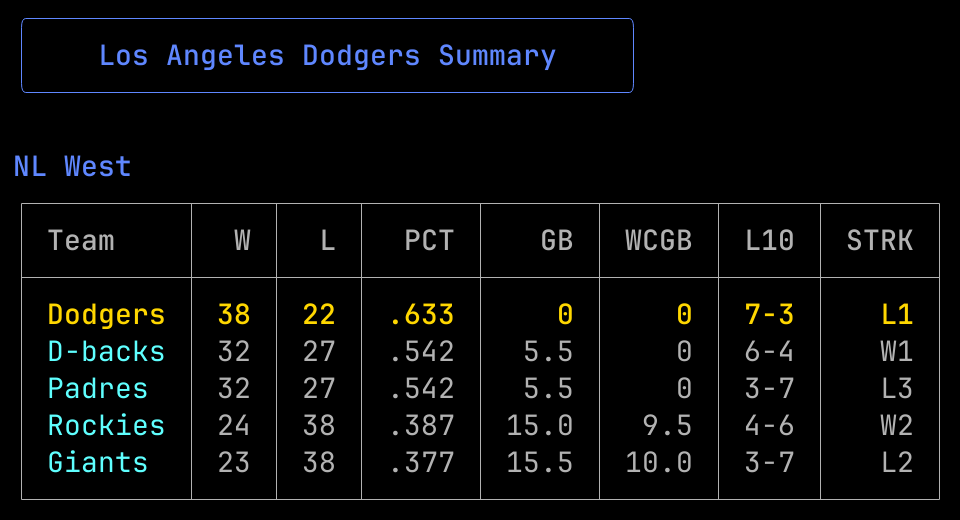
Rundown CLI brings the quick-hitting sports updates you need right to your terminal. Check standings from across the league or get a tailored daily brief on your favorite or the competition across the league.
Features
MLB Stats and Standings
Rundown currently only supports MLB data, utilizing statsapi.mlb.com endpoints to access key stats and info without any special credentials. Use the standings command to view division standings across the league.
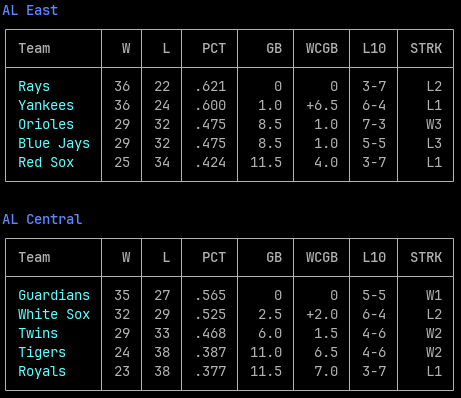
Snippet of standings returned by running rundown standings
Save Favorite Team
A config command allows for saving your favorite team. This will also act as the default team for daily briefs without having to specify. In the future, this functionality will allow cross-sport rundown info.
If you can’t remember the acronym for every team, get in line. Run the rundown teams to view all the teams and their acronyms.
Tailored Daily Briefing
Utilize the favorite team or flag a specific one to get a daily brief for a single team with the brief command. This provides some key information and utilizes Apple Intelligence, specifically the Private Cloud Compute (PCC) model, to generate a brief summary of the team’s recent performance if you don’t have time to dive into the stats and game logs.
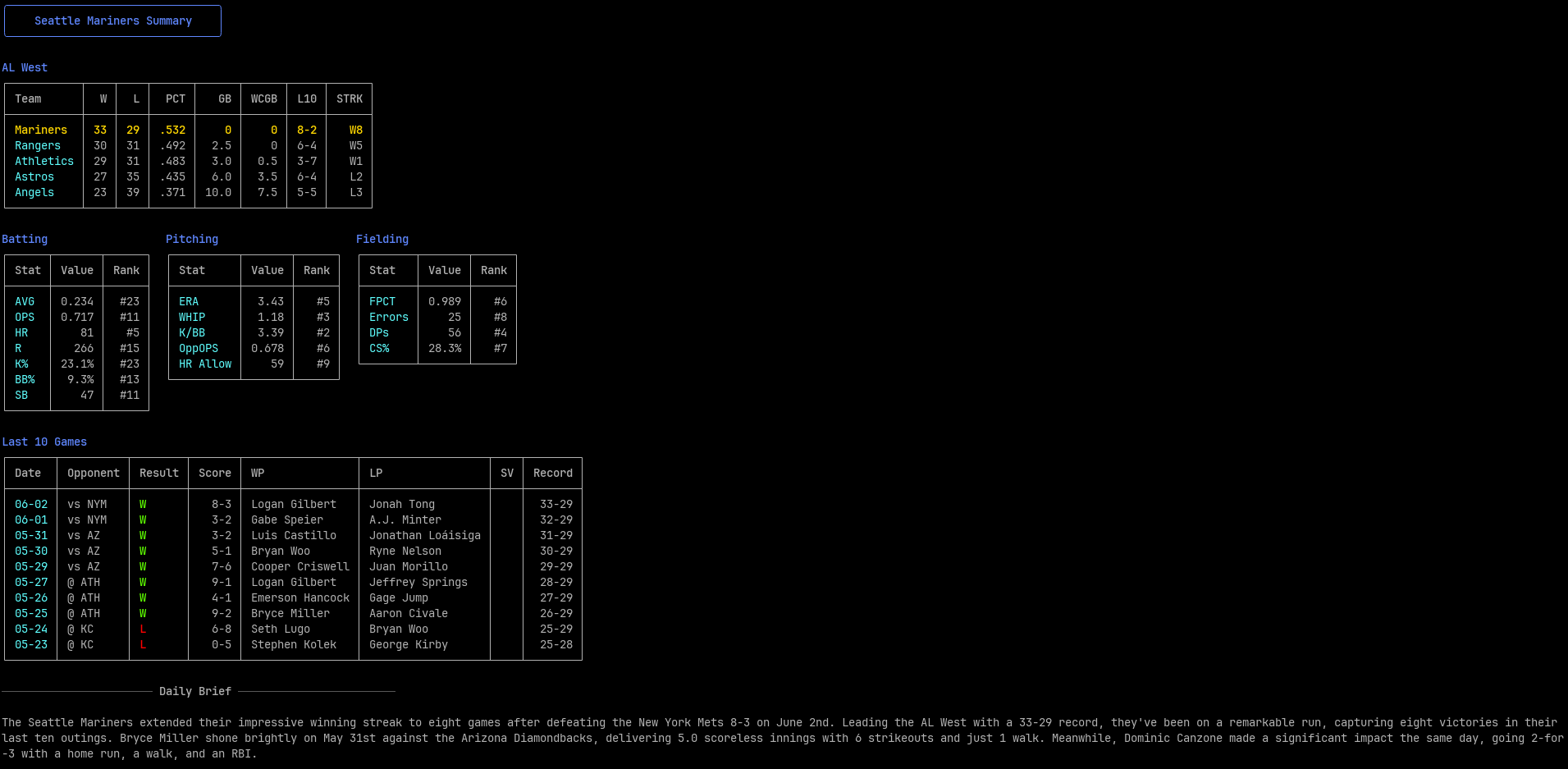
Result returned by running rundown brief SEA
AI Summary
This was a fun piece to build. I took inspiration from DiffSense, a cool project that utilizes Apple Intelligence for generated git commit messages. I was drawn to this solution because it allows for free LLM generation. No API tokens or HuggingFace setups. Just what your Mac gives you.
Trying Local LLM Model
Apple Intelligence offers an On-Device model option as well as the Private Cloud Compute (PCC). PCC is the go-to when a problem is too complex for the local model. So it’s a natural step to move to that for what can be complex baseball stats, but I liked the idea of keeping it totally local. I spent a LOT of time trying to make the local model work, but kept running into complexity issues.
For example, I pass in the prompt the team’s record over their last 10 games and their current winning/losing streak.
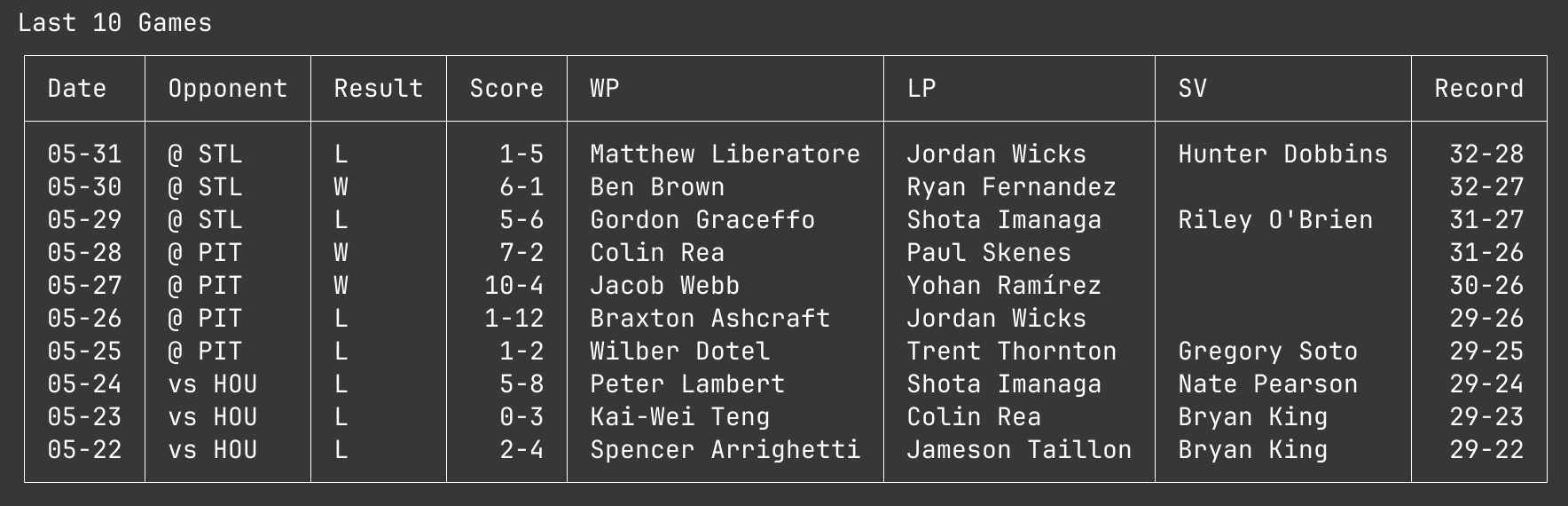
In this, you can see the Cubs had a one game losing streak, but the LLM responded:
The Chicago Cubs fell to the St. Louis Cardinals 1-5 on May 31st, extending their losing streak to five games.
It was likely picking up the 1-5 final score and using that for the streak. To combat this, I broke out the streak into a dedicated section in the prompt and told the LLM to “use exact wording from CURRENT STREAK.” The response:
...they are struggling with a CURRENT STREAK of lost 1 game in a row.

It took it very literally! Overall, I found these issues to be whack-a-mole with the On-Device model. Fixing one would just create another.
I did eventually settle on using the Private Cloud Compute (more complex) model. The responses are much more consistent, and actually make me think we can add more nuance to the prompt in the future without issue.
Power of One-Shot or Few-Shot
If you aren’t yet familiar with these approaches, it means to provide an LLM with one or a handful of examples of the desired behavior directly in the prompt. Even with the simpler On-Device model, this led to much more consistent results. My early tests were “zero-shot” prompts that the simple model was not cut out for. :)
In the end, I settled on a dynamic one-shot approach. If a team has a poor last 10 games I pass along an example with a tone fit for a losing team. If a good last 10 games, I pass on a more upbeat example. Here is that losing example:
"The Boise Spuds dropped another one Tuesday, falling to Reno 7-2 and extending their skid to five in a row. At 24-36 they've lost seven of the last ten, and the offense has gone quiet at the worst time. Herrera was one of the few bright spots, going 2-for-4 with a homer May 29th vs. Spokane, while Nakamura gave the club something to build on May 27th — 6.0 innings, 1 earned run."
Notice the fake teams - the simpler model was copying the example verbatim if the team aligned. But I found passing fake teams did not cause the LLM to use the examples stats and wording.
How the LLM Runs
Just like with my inspiration, DiffSense, Rundown utilizes the Apple Shortcuts app. A downloadable .shortcut is available in the repo. The brief command runs this passes on the generated prompt and receives the LLM response all through this shortcut.
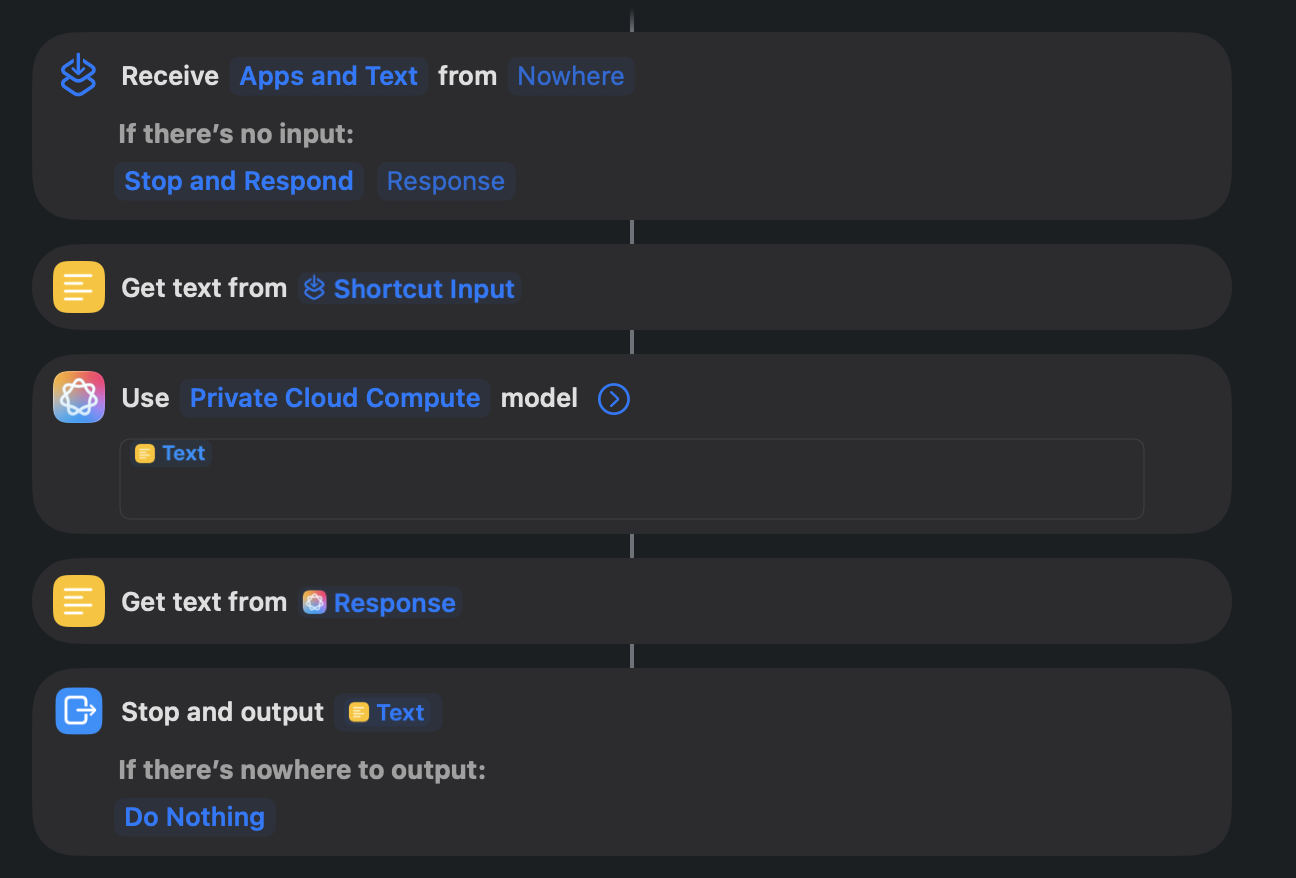
Workflow build in the Shortcuts app
How I Built This with AI
I had the idea for this earlier in the year while on paternity leave and started building in Python. Even though it was much slower, I found it really good stress relief to do the data processing manually. I did rely heavily on AI for the overall CLI logic and structure.
When picking the project back up, I used Claude Code to speed up the LLM integration. Once that was working, I realized Python wasn’t ideal for distributing a CLI tool with package management and virtual environments creating too much friction for end users. So I used Claude Code to migrate the whole project to Go, a language I’d never written before.
Throughout the build, I tried to stay hands-on rather than just accepting whatever Claude Code generated. My goal was to work faster while still understanding what the code was doing and pushing back when things started to drift toward unnecessary complexity. In the end, I’ve learned some Go fundamentals and have this project setup well for building onto in the future.
Oh, also, I wrote this writeup manually and had Claude help me fine-tune the flow a bit. :)
A Few Other Notes
The tool uses a daily caching setup to avoid hammering the MLB Stats API.
This is my first project hosted on Codeberg. I’ve heard plenty of frustration with GitHub from people who’ve been around longer than me — for now I’m enjoying trying something different, but have not totally moved away from GitHub. This site is hosted on GitHub pages after all.
I want to keep building on this: more sports, richer stats, better briefings. If you find it useful or fun, let me know! It’ll motivate me to keep going!
Technologies Used
- Go
- LLM